


Member Appreciation Zumbathon®
Posted on February 24, 2018 by Ching under Community, Zumba.
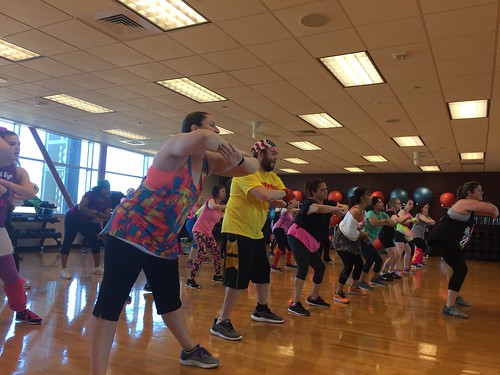
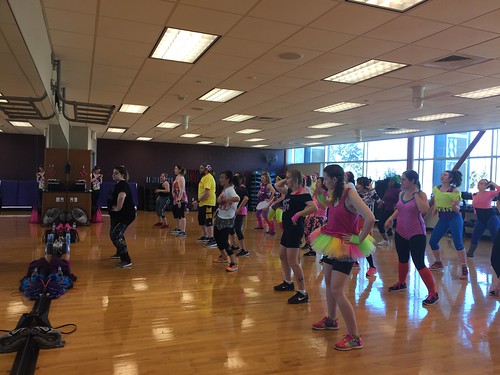
Just a few pics from the Member Appreciation Zumbathon we had last weekend at the Andover YMCA. We decided to have an 80’s theme so everyone got to wear fun 80’s outfits and we also did a bunch of 80’s favorites.
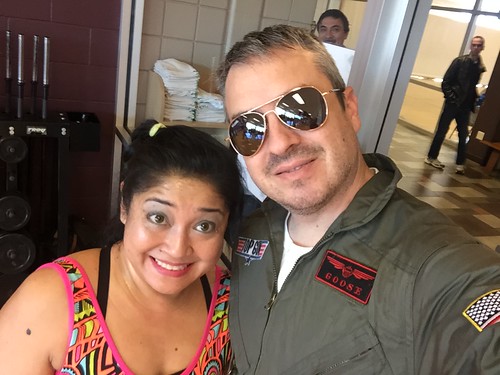
Brian looked handsome dressed up in his Top Gun outfit. He helped us with the raffle and took pictures and videos.
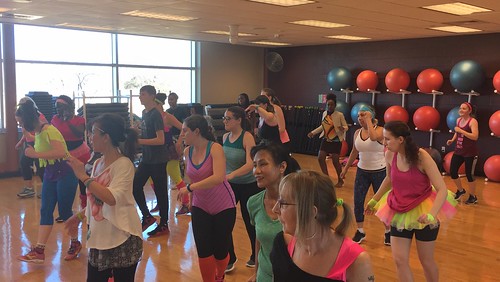
Some people went all-out. I loved seeing all the colorful outfits.
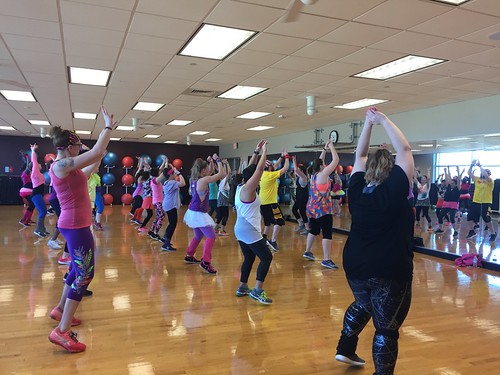
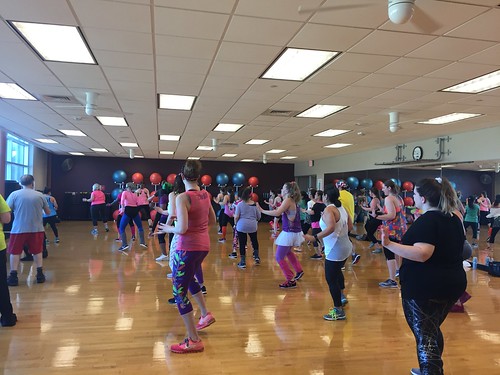
There was a good mix of festive 80’s attire and regular workout clothes but, regardless of what people were wearing, everyone seemed to have a great time.
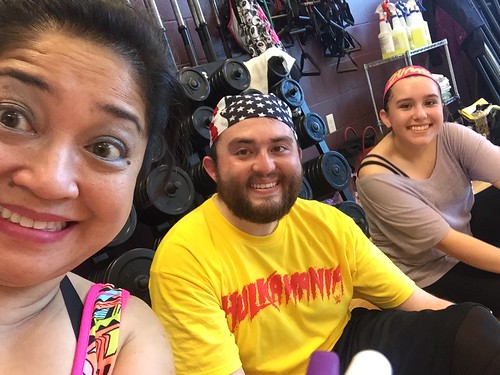
Here’s a quick selfie I took of me, Brandon, and Kariana during the break.
I didn’t get a lot of photos because Brian and I couldn’t stay for the entire event because we had to get ready for the Heart Ball. It’s the annual formal black-tie benefit for the American Heart Association that we’ve had the privilege of attending the last few years. More on that in the next post.
There were five instructors who hosted and led songs at the event: Charis, Mandy, Francie, Missy, and me. It was supposed to be all of the Andover YMCA Zumba instructors but Tiffany could not get the day off from her regular job and Angie fell ill that very day. We had to scramble and replace her. Thankfully, Missy planned to be at the event and knew some of Angie’s songs already so we just slid her right in. Charis, who was in charge of putting together the playlist, didn’t have to do much rearranging. She also helped me out by putting all of my songs at the beginning.
I did routines to covers of the following famous 80’s hits:
Fresh by Kool & the Gang (1984)
Take On Me by A-Ha (1985)
Karma Chameleon by Culture Club (1985)
Part-Time Lover by Stevie Wonder (1985)
Here’s a video of us dancing to Karma Chameleon.
I also did September by Earth Wind & Fire because I thought it was an 80’s song but it was actually released in 1971. Wow! Who would’ve have thought? Now I’m thinking, wouldn’t it be cool do a 70’s themed class? I bet I know a few 70’s hits and don’t even realize it!
Others did 80’s hits as well but we also did some regular Zumba songs and songs from other decades. The 90-minute playlist had great variety. Charis did an excellent job of putting it together.
Anyway, that’s pretty much all I got about the Zumbathon at Andover YMCA last weekend. The next post will have our pics from the Heart Ball.
1 Comment

ZINCON Schedule Excel Worksheet
Posted on February 23, 2018 by Ching under Projects, Zumba.
The Zumba Instructor Convention web site launched last week and so I did what I normally do every year that I go to convention — I created a worksheet to help me build my ideal schedule. ZINCON registration doesn’t actually open until February 28 but the schedules are posted so we can all start building our perfect schedules. Then, when the appointed time comes, everyone descends upon the site to make sure they get their top choices.
The scene when registration opens is a lot like this one in Big Bang Theory.
So many people are hitting the site all at once, it’s actually been known to crash a time or two. I often am stuck in some sort of meeting when registration first opens so Brian usually has to register for me. Thus, the need for worksheet that tells him what classes to sign me up for. I usually give him several options in case a session is no longer available, which happens more often than not. Specially with some of the more famous presenters and new training programs.
In 2016, when STRONG by Zumba launched, the training session was full within minutes of registration opening, so I couldn’t get in it. Brian ended up signing me up for Sentao, which is the only other format that I wasn’t already licensed for at the time. I waited another full year to complete my SBZ training.
Since registration will be open in just a few days, I decided to build my worksheet before bed one night while watching the Olympics. The worksheets I’ve used in the past just allows sorting and filtering, to make it easy for me to compare sessions and review all of my options. I usually still have to build my schedule manually. This year, Brian challenged me to make the worksheet so that it would build my schedule automatically. I’ve never made that part automatic in the past because there’s multiple ways to build a schedule. You could opt to take training sessions on both Friday and Saturday, or you could just do training on Friday and regular workshops on Saturday, or the opposite — regular sessions on Friday and training on Saturday, or you could go with just all workshops and no instructor training. I usually have to decide this for myself so it’s really tricky to make a worksheet automatically build the schedule. I figured it out, though!
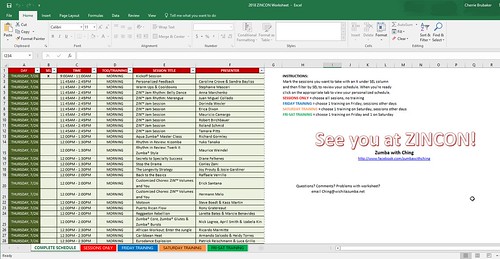
The solution isn’t the most elegant, but it works. Basically, I created tabs for the four scenarios: SESSIONS ONLY, FRIDAY TRAINING, SATURDAY TRAINING, and FRI-SAT TRAINING. The first tab has all of the options listed. You put an X in the SEL column to specify which sessions or training you want to take. The worksheet populates all of the other tabs. Obviously some sections will be blank in the other tabs, depending on your choices.
For example, if you opt to take a training session (which takes up pretty much the entire day) then you won’t have time to take any other sessions on that same day. If you go to the SESSIONS ONLY tab then it will have some empty slots. Depending on how you laid out your schedule or what choices you’ve made, you just have to click on the appropriate tab to view your personalized ZINCON schedule.
It’s not perfect, but it works. I probably could create an Access solution but most people don’t have access to Access (see what I did there – LOL) but almost everyone has access to Excel. The gears are working in my mind now, though. I could create a web site that does this more elegantly. An app would be better, but I don’t know how to make phone apps. Sigh.

Here’s a preview of the first page of the full schedule, should one decide to print it. I don’t know why you would, unless you just want to kill trees. There really is no need to print the whole thing. Oh, and you’ll notice there is an X next to the Kickoff session. I made it so you can’t remove that X. I’m a nerd and I think everyone should go to it. Obviously, people could still skip attending Kickoff if they want but it will print on their schedule regardless because that’s how I built the worksheet.
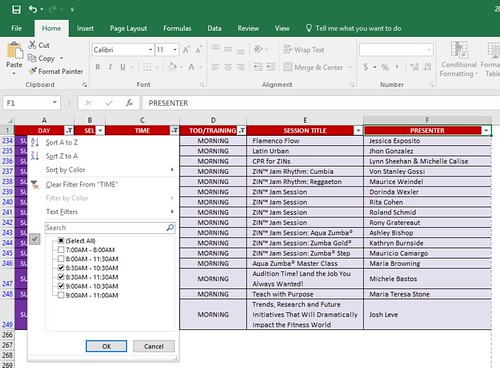
I’ve enabled auto-filters so the person using the worksheet can slice and dice the schedule however they wish. This is an example of how you can filter by Time. Say, for example, if you don’t want to get up before a certain time so you only want to see morning sessions that start at 8:30 AM or later.
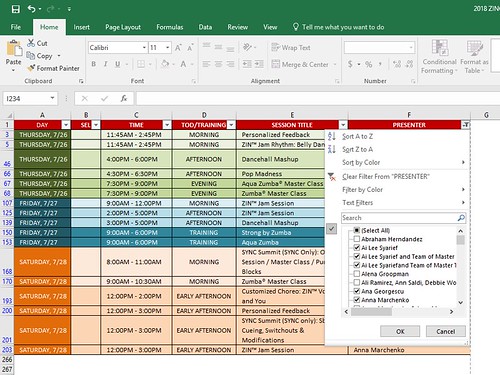
This next one is an example of filtering the schedule by Presenter. It makes it easier to see all the various sessions that someone is presenting. Makes stalking your Zumba idols a lot easier. LOL.
Jokes aside, it really is mostly for doing comparisons. Being able to look at all the times side-by-side makes it easier to plan around sessions that you absolutely, positively do not want to miss.
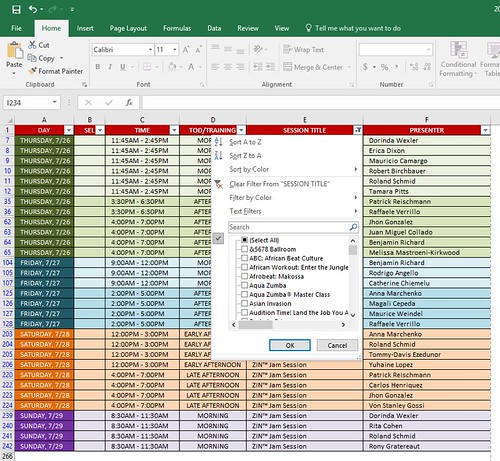
Here’s an example of filtering the schedule by Session Title. So if you just want to look at all the ZIN Jam Sessions, you can do that.
I don’t show an example of it but you can also put an X in the SEL column of the sessions that you want to compare side-by-side. Maybe they are totally different sessions at different times and by different presenters but you want to look at them side-by-side so you can decide. When you put an X on all these sessions and then filter the schedule by SEL then you can eliminate all of the other sessions and look at just the ones you want to compare. It helps to remove all the clutter.
When you are finished making your choices, remove all the Xs that you don’t need and leave only the ones that you want (making sure that there is only one session selected under each time slot). Then click on the appropriate tab based on the choices you made. The tabs represent the four possible schedule scenarios:
- SESSION ONLY – this tab is if you didn’t select any instructor training at all
- FRIDAY TRAINING – this tab is if you opted to take a training on Friday and picked regular sessions for all the other time slots
- SATURDAY TRAINING – this tab is if you opted to take a training on Saturday and picked regular sessions for all the other time slots
- FRI-SAT TRAINING – this tab is if you opted to take training sessions on both days

If you selected training sessions on Friday and Saturday, then click on the SESSION ONLY tab, you’ll see a bunch of blanks. Your correct schedule will be under the FRI-SAT TRAINING tab. It does take a bit to understand how to use the tool but, once you understand how it works, then it makes building your schedule super easy — since the tabs are automatically populated.
Here’s an example output of selecting all regular sessions.
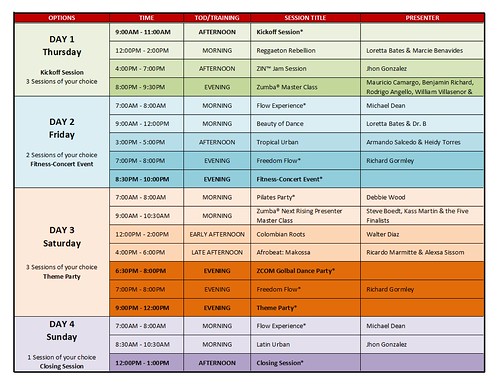
Having your schedule automatically populate on the schedule tabs is actually a real time saver. So you can create multiple schedule scenarios. You can have a Plan A, Plan B, Plan C, and so on. Trust me. Unless you are one of the lucky ones who can actually get on right when registration opens (they never tell us the time either so some people actually take the day off work so they can sit in front of their computer and wait and then pounce when the time comes), you don’t always get all of your first choices. Sometimes you can get lucky, though.
Brian is usually able to register for me in case I’m stuck in a meeting and can’t take the time to register myself. I just give him my login credentials. Thus, I’ve had to come up with this solution so he knows exactly what sessions to sign me up for. I give him multiple choices. Anyway, it’s really helped me out a lot so I usually share it with others. I’ve shared my worksheet the last couple of years.
I shared this 2018 version earlier this week on the official ZINCON group in Facebook. If you’re not in the group but would like the worksheet, please leave a comment below with your email and I will gladly email it to you.
I hope it helps. See you at ZINCON!
2 Comments
Boulevard Brewery Tour
Posted on February 21, 2018 by Ching under Things to Do, Travel.
Brian and I meant to attend the Kansas City Brew Festival but the event sold out before we got our tickets so we ended up going to tour the Boulevard brewery instead. This was our second time doing the brewery tour.
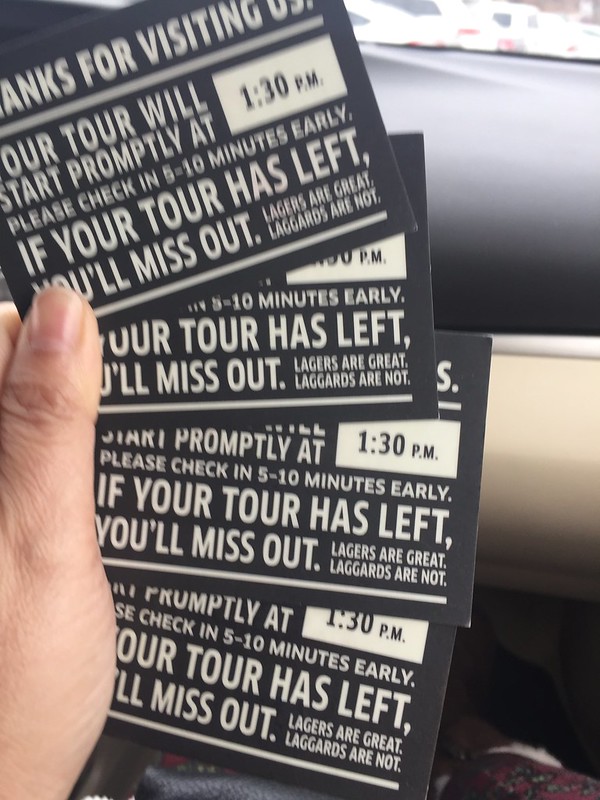
We got there early and picked up four tickets since we were meeting a couple of my college friends there. The main difference between the tour we did last year and the tour this year is that Boulevard is now charging for the tours. They used to be free. Still, $5 is not a bad deal for an hour of entertainment and beer drinking.
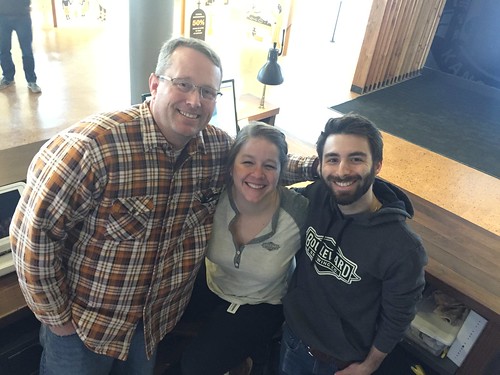
I just love how friendly the Boulevard people are. I guess you would be friendly too if you were allowed to drink on the job. LOL.
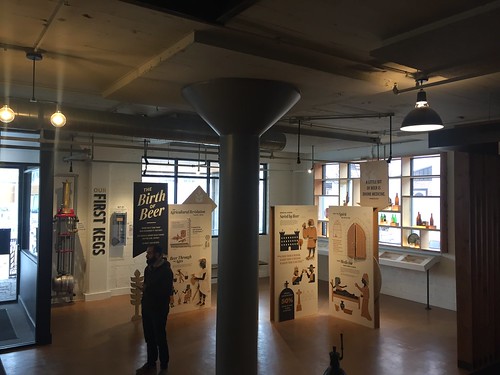
If you’ve never done the brewery tour, you should. It’s a must in Kansas City!
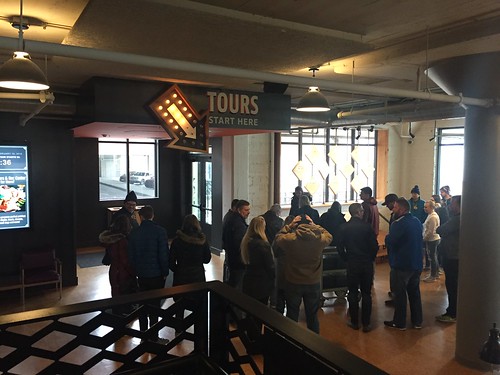
Now that they’ve built the Beer Hall, there’s plenty of room for people to mill about while waiting for their tour to begin. I heard it used to be super crowded in the pub next to Brew-house 1.
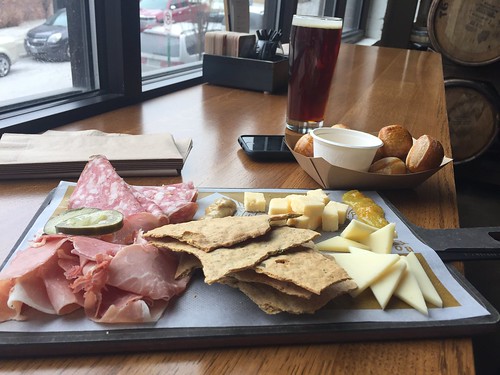
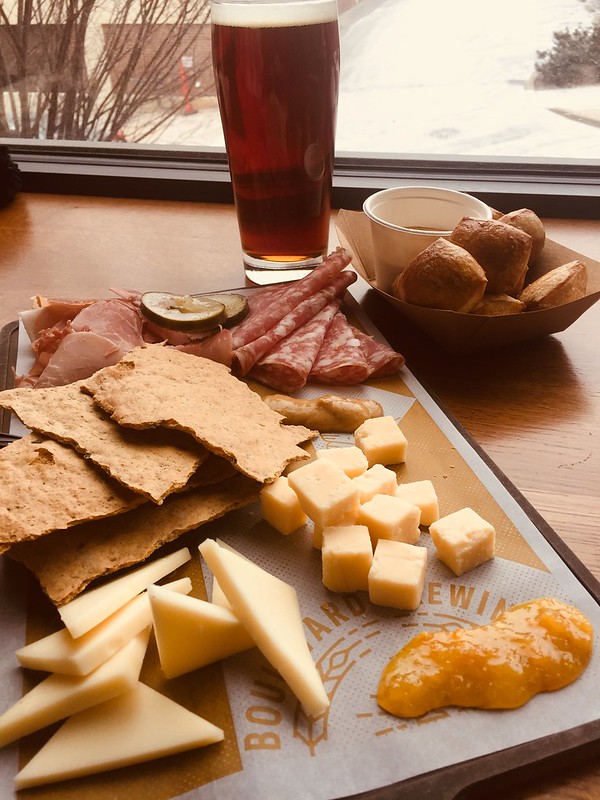
If you do decide to go for a tour, Brian and I recommend getting there early and enjoying some snacks at the upstairs Beer Hall. Our favorite thing to get is their meat and cheese board. This way you have some food in your belly before you start drinking a bunch of beer. Then again, you could start pre-drinking which is what Brian and many others do.
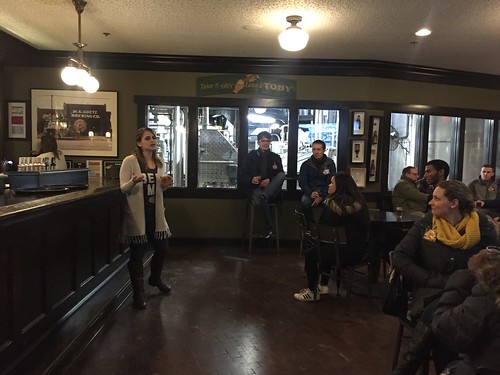
This is where they used to start their tours back in the olden days.
You get to start drinking right off the bat. Much to Brian’s disappointment, I was in a beer drinking mood and actually drank my glass of Pale Ale. On our first our, he got to drink both mine and his. I actually didn’t mind the Pale Ale this time. Not sure if my tastes are changing or I’m just becoming more open-minded about beer.
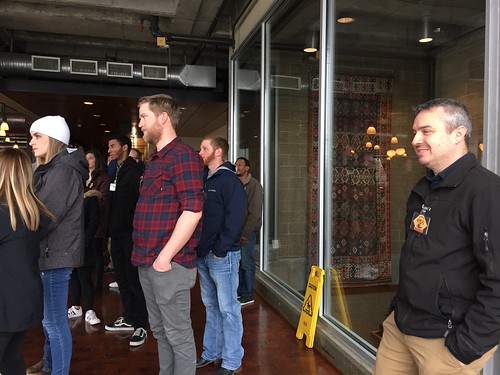
It was freezing that day so we didn’t spend too much time on the terrace. Our tour guide talked while we were inside and then we just stepped outside briefly for those panoramic views and to take some photos.

Like this one.
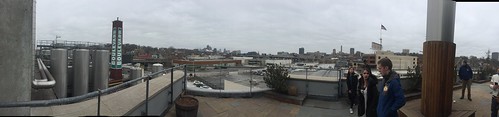
And this one.

The tour culminates in more beer drinking. You actually get to pick two beers from the dozen or so they have on tap. The idea is to try flavors you haven’t had before but Brian always ends up getting a glass of Tank 7, which has been his favorite for a long time. Except, he discovered the Irish Ale on this trip and now that’s his most favorite of all the beers that Boulevard offers.
Again, this is a part where Brian usually gets to drink all of my beers but I decided to actually try some beers instead of just getting extra beers for him to drink. I tried Jam Band and Cranberry Orange Radler and I loved both of them! The Cranberry Orange Radler is my absolute favorite, though. It’s very un-beer-like.
As an added bonus, Brian volunteered to be the “caboose” on our tour expecting to get an extra pour at the end (which is the volunteer’s reward is usually) but they were trying to get rid of some six-packs so I ended up getting a free six-pack of Cranberry Orange Radler. They didn’t have any flavors that Brian wanted so I ended up getting the beer I liked instead. Lucky me!
I’ve never been a beer drinker but Boulevard is slowly changing my mind. There are beers out there that I can enjoy after all. Baby steps.
Comment on This
Shaker Full of Wishes
Posted on February 19, 2018 by Ching under Events.
Brian and I had the opportunity to volunteer at Shaker Full of Wishes this year. It’s the third time that Make a Wish has held this event.

Thanks to my friend Bee for inviting us to volunteer at the event.

We got to partake of the delicious food, beverage, and other treats in exchange for volunteering so that was awesome.
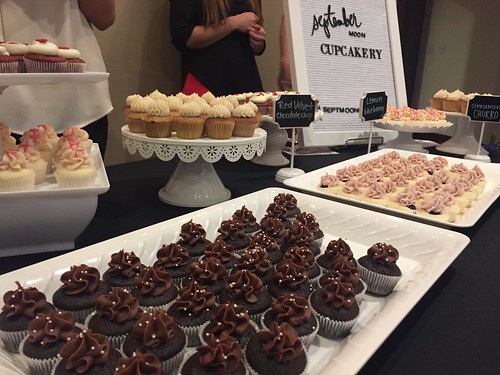
My favorite was this cotton candy martini. Check it out.
Comment on This
YMCA Annual Celebration
Posted on February 16, 2018 by Ching under Community, Events.
A few pics from the YMCA Annual Celebration a couple of weeks ago at Century II.

It was our first time being invited to the Triangle Society pre-celebration reception.

The YMCA Late Night program is only a year old but it’s one of my favorites. So glad they came up with it because it gives teenagers a safe place to go and constructive activities to do on a Saturday night.

Down below, they were getting set up for the main program and dinner.

My new friend Betty Schwahn. We met her for the first time at a Triangle Society event a couple of months ago. Super nice lady!

My name tag would not stay because of the texture of my dress so we decided to stick it to my arm instead.

I eventually gave up on the name tag altogether and just stuck it to the table next to my drink. LOL.

We also ran into Suzy at the celebration.

They recognized some very deserving people. It was a wonderful celebration altogether. We our so grateful for our local YMCA for making sure that we have the best facilities and great programs that everyone can enjoy regardless of their finances. We feel truly blessed that we can make a small contribution toward making all of it possible.

Comment on This

